Game environment art is the craft of building the worlds players move through, from blockout to final lighting. It combines modular assets, terrain, props and materials with careful layout, so a level reads clearly, guides the player and still runs smoothly on the target hardware.
If you do it yourself, our Null Labs tool Null Game Toolkit generates UCX collision meshes and LODs in Blender and batch-exports game-ready FBX, and Quick Align aligns and distributes objects inside Blender.
How is a 3D game environment made?
A 3D game environment is usually built in six stages: brief and references, blockout, modular asset kit, texturing, set dressing and lighting, then optimization and engine integration.
- Brief and references. Gameplay needs come first: where the player can go, what they need to see, the target platform and its performance budget.
- Blockout. Simple grey boxes set scale, paths and sightlines. It is cheap to change and is tested in engine before any detail is added.
- Modular kit. Walls, floors, trims and props are built to a shared grid so they snap together. One kit can dress many rooms without new geometry for each; this is the core of our 3D modeling work for games.
- Texturing. PBR materials (base color, roughness, metalness, normal) and trim sheets let many assets share a few texture sets.
- Set dressing and lighting. Props, decals and light tell the story of the space and lead the player’s eye toward the next goal.
- Optimization and integration. LODs, collision, lightmap UVs and draw-call checks happen in the target engine, Unity or Unreal, so the level runs on the hardware it is made for. See optimizing 3D assets for games.
Modular vs. unique assets
Modular assets are reused pieces that keep memory and production time down; unique “hero” assets are one-off pieces placed where the player looks closest. Most levels mix both: a modular shell with a few hero props.
Environment art in practice
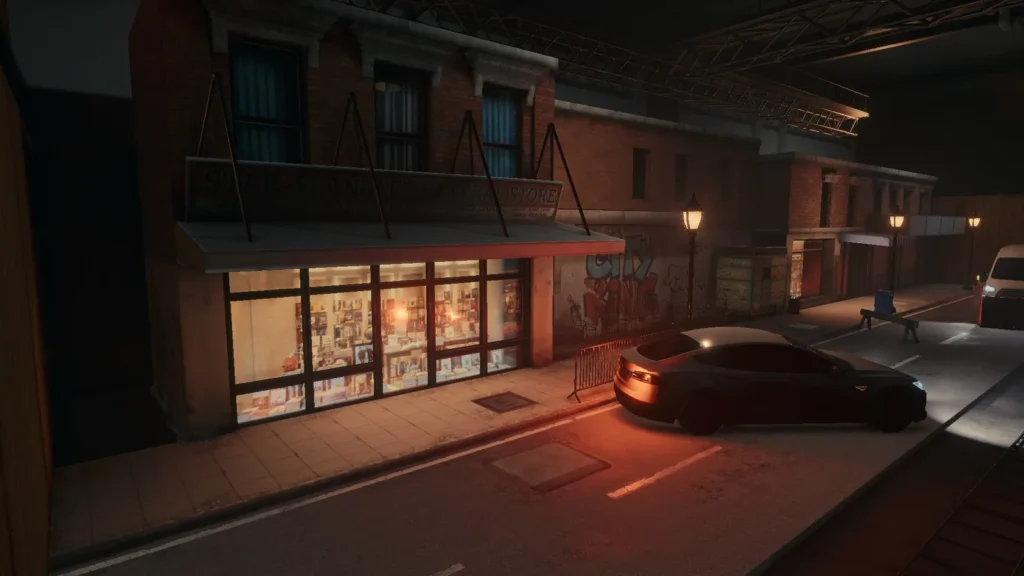
For BLACKWOOD, our Unity environment project, we built a set of distinct interiors, including office spaces, a bar set that is our own original concept, a Japanese-style set, a bathroom and a museum. Read the BLACKWOOD environment and prop art case study, or see our game art and animation services.
Introduction
In the dynamic world of gaming, where pixels and polygons collide, environment modeling plays a pivotal role. Whether you’re navigating a post-apocalyptic wasteland or exploring an otherworldly realm, the artistry behind game environments shapes our gaming experiences. In this blog post, we’ll delve into the fascinating world of environment modeling, uncovering its secrets, and understanding its impact on next-gen games.
- What Is Environment Modeling?
Environment modeling is the craft of creating immersive digital worlds within video games. These spaces are the backdrop for exploration, combat and story, and each one is designed to support how the game plays as much as how it looks.
- From Pixels to Polygons: The Evolution
Early Days: Pixelated Nostalgia
Early game worlds were built from flat tiles and sprites. Hardware limits kept them simple, but clear shapes and strong color still made them readable.
The Rise of 3D: A New Dimension
Real-time 3D brought polygonal environments: artists could build streets, interiors and landscapes that players walk through with real depth.
Modern Marvels: Realism and Detail
Today’s environments use high-resolution PBR textures, dynamic lighting and physics. Every surface is still a budget decision: detail goes where the player looks, and cheaper geometry fills the rest.
- Types of Environment Modeling
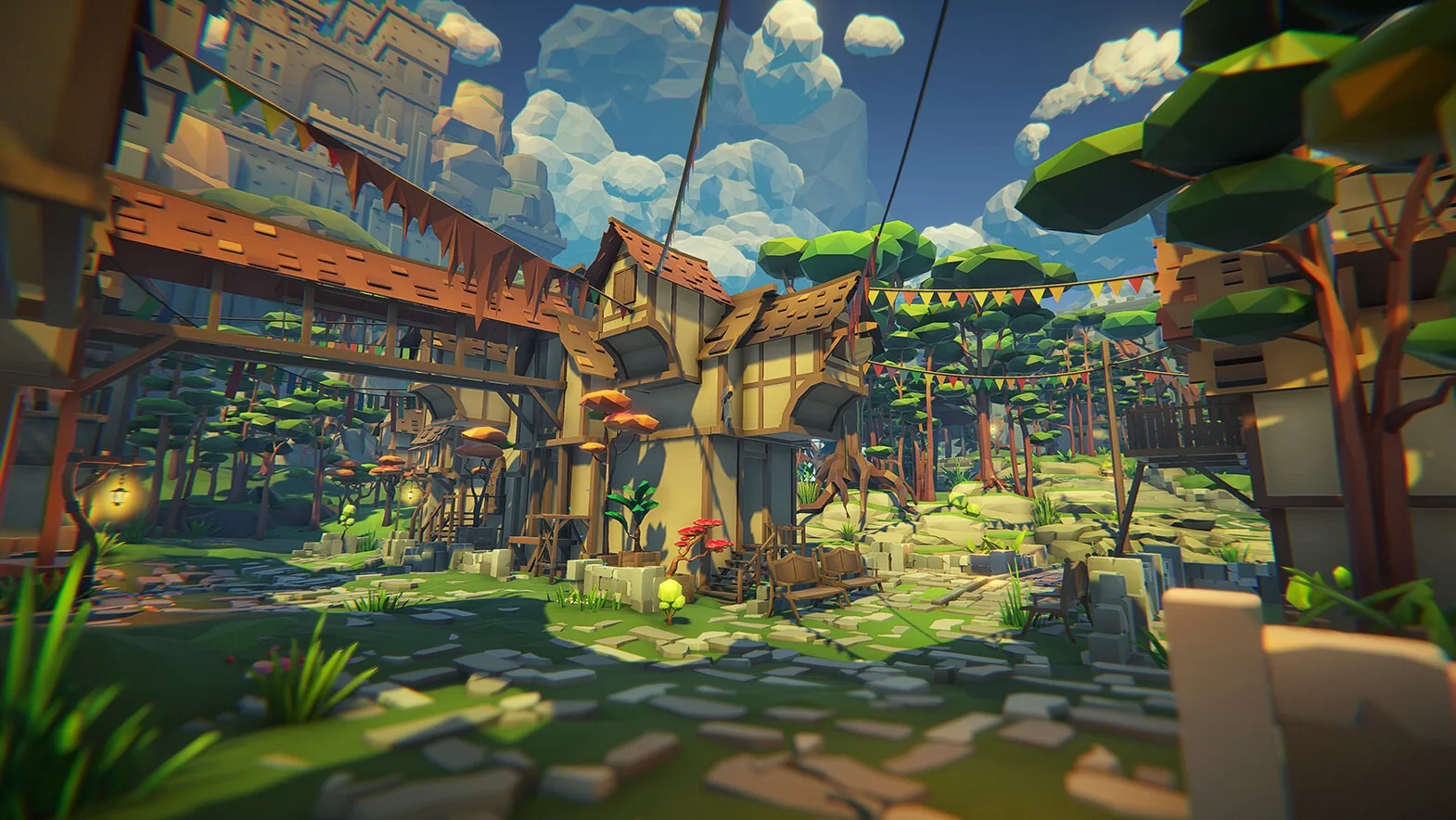
- Low Poly Environments
- Purpose: Secondary assets, distant backgrounds.
- Characteristics: Fewer polygons, simplified shapes.
- Examples: Distant mountains, basic buildings.
- Advantages: Efficient rendering, nostalgic charm.
- High Poly Environments
- Purpose: Main gameplay areas, close-up scenes.
- Characteristics: Detailed models, realistic textures.
- Examples: Intricate architecture, character hubs.
- Advantages: Immersive visuals, cinematic quality.
- The Role of Environment Artists
Behind every stunning game environment stands an environment artist. Their tasks include:
- Conceptualization: Translating ideas into sketches and mood boards.
- Modeling: Creating 3D objects, from towering castles to humble crates.
- Texturing: Applying realistic surfaces, weathering, and wear.
- Lighting: Setting the mood with shadows, highlights, and ambiance.
- Optimization: Balancing visual fidelity and performance.
- The Magic of Immersive Worlds
As players, we step into these digital realms, suspending disbelief. We marvel at sunsets over virtual oceans, explore ancient ruins, and battle mythical creatures. The art and science of environment modeling shape our memories, evoke emotions, and keep us coming back for more.
Related: Game art and animation · BLACKWOOD · Optimizing 3D assets for games
05 / Questions
Ask us anythingBefore you
get in touch.
It depends on scope: the number of assets or shots, the level of detail and the delivery formats. We send a quote after reviewing your brief and bill in USD by milestone.
It depends on scope; we confirm a schedule after the brief. Larger or more detailed projects are split into milestones so you can review progress along the way.
Environments and props are usually delivered as FBX or OBJ with PBR texture sets (PNG or TGA), ready for Unity or Unreal, or as an engine project on request. We confirm the exact formats and specs in the brief so the files fit your pipeline.
You send the brief, art direction and technical limits. We block out the space, build and texture the assets, integrate them in your engine, and polish through review rounds.
Clients officially own the final files once payment clears. Null Station keeps the right to show the work in its portfolio.
The environment is the art: models, textures, lighting and props. The level is the playable layout and its gameplay rules. Environment artists and level designers work on the same space from the blockout onward.
A clear polygon and texture budget per platform, LODs for distant objects, shared materials and trim sheets to cut draw calls, and occlusion culling so hidden geometry isn’t drawn. See our guide to optimizing 3D assets for games.
Yes. We deliver FBX or OBJ with PBR texture sets ready for either engine, or set up the scene in an engine project on request. See game art and animation services.