Rigging gives a 3D character a skeleton and a set of controls so animators can pose it. A good rig combines joints, skin weights, deformers and intuitive controls, and it is built around the shots and the engine it will be used in, so the character moves believably without breaking.
If you do it yourself, our Null Labs tool Basic Wire Rig turns curves into wires you can pose and animate in Blender, and Trimotion cleans up mocap and reduces keyframes in Blender.
In the captivating world of 3D animation, rigging serves as the backbone that brings characters to life. Whether you’re creating a fantastical creature, an animated hero, or an everyday object, understanding rigging is essential. Let’s demystify this crucial process by exploring its techniques, tools, and practical tips.
What is 3D Rigging?
3D rigging involves creating a digital skeleton for a 3D model. It as the framework that grants animators control over the movement and deformation of characters or objects. Without rigging, your 3D model remains static and lifeless. Rigging enables realistic articulation, from subtle facial expressions (achieved through facial rigging) to dynamic actions.
The Basics of 3D Rigging
Here are the fundamental aspects of 3D rigging:
- Skeleton Creation: Imagine building a digital skeleton inside your 3D model. This skeleton consists of interconnected joints and bones. Each bone has specific properties, such as rotation limits and pivot points.
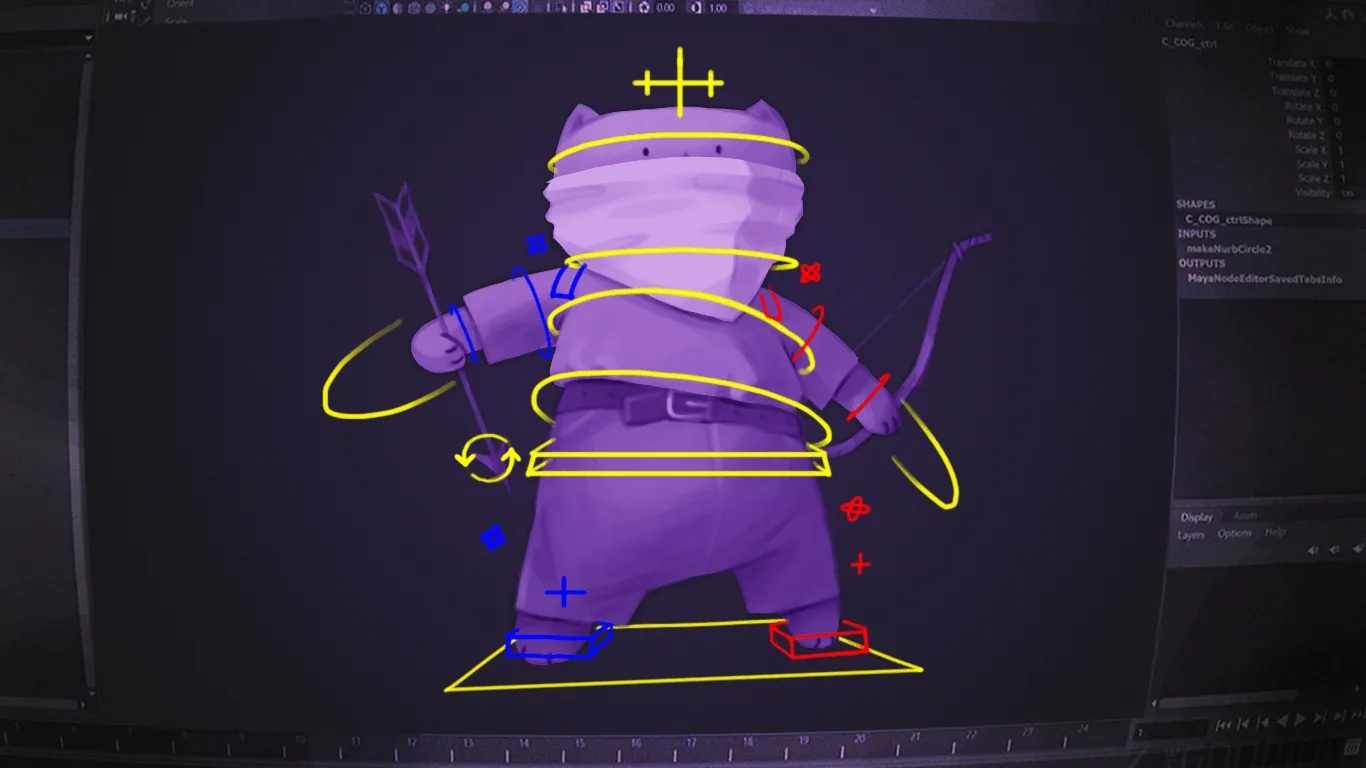
- Controls and Deformers: Rigging involves creating controls (on-screen manipulators) and deformers. Controls allow animators to intuitively pose the character, while deformers influence the model’s shape during animation.
- Hierarchy and Relationships: Rigging establishes a hierarchical relationship among bones. For instance, moving a shoulder bone affects the hand and forearm bones. This hierarchy simplifies animation control.
The Rigging Workflow: From Model to Animation
Let’s break down the rigging process into key steps:

- Model Preparation:
- Design your 3D model with rigging in mind. Consider density (too dense or too low-poly can be challenging).
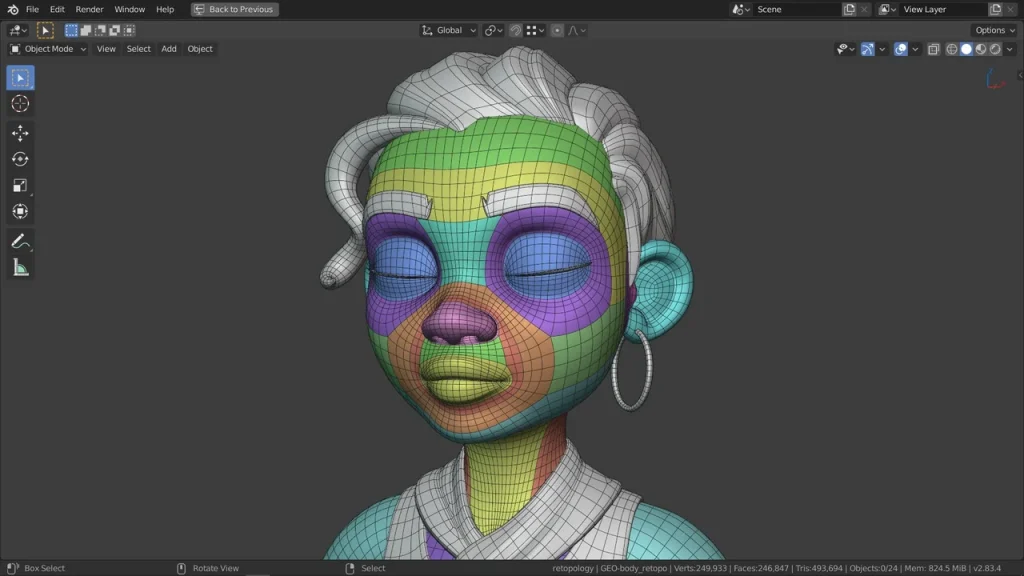
- Create the basic geometry that will serve as the foundation for rigging.
- Joint Placement:
- Position joints to mimic the bone structure of your character.
- Think about how the joints will influence movement.
- Binding and Skinning:
- Attach the character mesh to the digital skeleton (skin the model).
- Weight painting assigns bone influence to each vertex.
- Control Rig Creation:
- Set up controls (nulls, sliders, buttons) for intuitive manipulation.
- Controls represent body parts and allow animators to pose the character.
- Constraint and Deformer Setup:
- Constraints define relationships between bones (e.g., parent-child).
- Deformers affect the model’s shape during animation.
- Testing and Refining:
- Animate the rig to ensure smooth movement.
- Refine weights and control responsiveness.
- Rigging for Game Engines:
- Optimize the rig for real-time performance.
- Implement level of detail (LOD) techniques.
- Rig Export and Integration:
- Prepare the rig for integration into animation software or game engines.
- Ensure compatibility with the chosen platform.
- Game-Specific Functionality:
- Rigging may involve additional features like facial rigs, cloth simulation, or physics-based interactions.
- Animation Controller Setup:
- Set up animation controls (keyframes, motion capture) to bring your character to life.
Remember, rigging is an essential skill for animators, whether you’re working on video games, films, or any 3D animation project. Mastering rigging opens up a world of creative possibilities, allowing your characters to move, emote, and tell compelling stories.
What is rigging in animation, in one line?
Rigging is the step between modeling and animation where a character gets a skeleton, skin weights and controls, so an animator can pose it frame by frame without editing the mesh.
What a production rig includes
- Deformation skeleton: the joints that actually move the mesh, and the only part exported to a game engine.
- Control rig: curves and sliders the animator grabs, usually with FK/IK switching for arms and legs.
- Skin weights: how strongly each joint pulls each vertex; most deformation problems trace back here.
- Corrective shapes: blend shapes that fix elbows, shoulders and knees at extreme poses.
- Face rig: joints, blend shapes or both, depending on how close the camera gets.
Game rigs vs film rigs
A game rig is built for the engine: a limited joint count, a clean hierarchy that exports to FBX, and no deformers the engine can’t read. A film rig is built for the shot: it can use heavy deformers, muscle and cloth simulation and dense face rigs, because it is rendered offline rather than played in real time.
That is why a character rigged for a film usually has to be re-rigged, not just exported, before it can go into Unreal or Unity.
Mocap or keyframe: does the rig change?
Yes. A rig for motion capture needs a skeleton that matches the capture data’s proportions and naming so retargeting is clean. A rig for keyframe animation focuses on animator controls. Many rigs support both by keeping the export skeleton separate from the control rig.